Tuesday, July 26, 2011

Bookmapping Literary Journeys


Setting is an important element in most writing, whether it is fiction or non-fiction. Reading teachers spend a lot of time helping students understand the setting in stories, how to identify important elements of setting, and determining the role setting plays in the plot of a story. As readers we enjoy stories with well-defined settings. Journey stories that take us to many locations in the course of the plot allow us to vicariously travel the world. Even when we teach creative writing, we guide students to develop enticing settings for their stories.

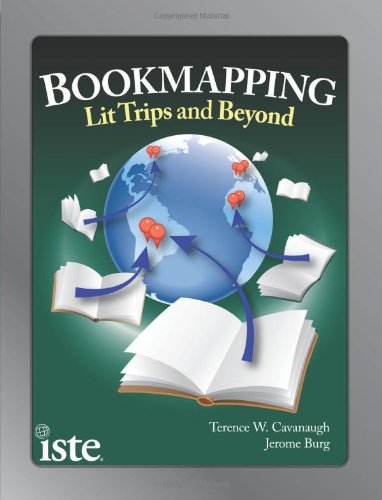
Technology now provides us with great resources for enhancing our teaching of setting and student appreciation of setting in their reading and writing. Through “bookmapping” students use technology tools to either guide their understanding of the setting in what they are reading or create their own “roadmaps” of the book. In their book Bookmapping: Lit Trips and Beyond, Cavanaugh and Burg (2011) detail how teachers and students can use online tools to enhance their reading and writing in several ways. Cavanaugh and Burg define bookmapping as “the modeling of a book or story’s setting: taking information about that setting and then plotting that location information onto some form of map representation. A bookmap creates a cognitive connection between literature and geography.” (2) In fact, the authors describe ways this interdisciplinary approach not online combines technology with literature and social studies, but can include science, math, foreign language and more.

The most basic use of bookmapping is to guide the reader’s understanding of setting in a text. Setting in the text might focus on a single area, such as a city, or follow the journey of a character as she travels the world. There are a number of online resources for ready-made “bookmaps” or “lit trips.” One of these sites, created by Burg, is Google Lit Trips (www.googlelittrips.org). This site provides pre-made lit trips for books from elementary level, such as Make Way for Ducklings, to middle school books, such as My Brother Sam is Dead, to high school, for example The Kite Runner. (There are even college level lit trips!) Another source for ready-made maps for some books can be found using Google Books. For example, go to books.google.com and search for The Travels of Marco Polo. Click on the book and then in the left column click “About this book.” Scroll down and you will find “Places mentioned in this book.” There is a link labeled “map” that takes you to a Google Map of the places in the book or you can download the “kml” file to open in Google Maps or Google Earth.

Teachers and students can create their own bookmaps. Teachers can create bookmaps to guide student reading of the book. Google Maps is a great place to start, as it is easier to learn to use than Google Earth. The teacher can put placemarks for locations in the book and can even add questions for students to think about before, during or after reading or even links to websites for more information. Having students, either individually or collaboratively, create their own bookmaps is a great alternative to other book projects.

The most interesting use of bookmaps discussed in Bookmapping was related to writing. One suggestion was to use Google Maps or Google Earth to have students investigate a setting for a story they might write. In Google Maps students can use tools such as “street view” to visually explore a setting for a story. Google Earth can be used in similar ways. Students could even explore writing a story in Google Maps. Students plan their story to include a variety of locations (either within a town or across the world). They then put placemarks in each of the locations and add the text of their story to the placemarks. In the left sidebar, students can arrange the placemarks in the order of their story. There are a variety of ways they can then share their story maps. Once students have explored Earth, Google can take them to the moon, Mars, and beyond!

There are many great ideas for using bookmaps in Bookmapping. There are a number of tools beyond Google Earth and Google Maps. (Microsoft has their own Bing versions, for example.) Given the variety of applications and the cross-curricular nature of bookmapping, exploring how to integrate this idea into your classroom may well be worth the time it takes to learn about these tools. Bookmapping is a well-written, resource-packed, book to explore. The authors include easy-to-follow directions for using the tools. If you want to explore bookmapping online, you can also find out more from the following websites:

Google Maps for Educators http://goo.gl/3Oq81
Google Earth for Educators
Google Lit Trip Tips
Edutopia article on Lit Trips
Google Videos on Lit Trips or search YouTube of “Google Lit Trips”

Works Cited
Cavanaugh, T. W., & Burg, J. (2011). Bookmapping: Lit Trips and Beyond. Eugene, Oregon, USA: International Society for Technology in Education.

Tuesday, June 21, 2011

Book Review - Seedfolks

Seedfolks (Joanna Colter Books)Seedfolks by Paul Fleischman

My rating: 3 of 5 stars


This was a nice book that traces the development of a community garden and the people of that community through the eyes of a variety of people. It is an interesting approach, with each chapter narrated by a different person, who sometimes appears in the background of another's story. Perhaps the most interesting part, though, was the author's description of how he came to write the book and his description of his thinking and researching as he wrote it. I wouldn't say this book is one of my all time favorites, but not bad for discussion of points of view and author craft.


View all my reviews

Book Review - Presidential Courage

Presidential Courage: Brave Leaders & How They Changed America 1789-1989Presidential Courage: Brave Leaders & How They Changed America 1789-1989 by Michael Richard Beschloss


Michael Beschloss has written a readable look at how a variety of Presidents throughout American history have taken difficult positions, often contrary to popular opinion or political expediency, and how these decisions shaped our country. While somewhat predictable in his choices, I found the more recent Presidential descriptions, such as Truman, Kennedy, and Reagan, most interesting. I've not been a big fan of Kennedy, but found that chapter particularly interesting. The descriptions of the times of Truman relative to anti-semitism and Kennedy to racism was revealing. While not a "deep" book of history, a wonderful reminder of what we seek when electing a President.


View all my reviews

Thursday, April 7, 2011

iCivics - A Great Website for Social Studies and Language Arts Teachers


            iCivics is a great site for both language arts and social studies classes. It provides a wealth of resources for both students and teachers. This site was created as the vision of former United States Supreme Court Associate Justice Sandra Day O’Connor. She felt that there needed to be more available for helping students understand civics. The site is geared for middle school and high school students. It may be possible to use some aspects of the site with students as young as 5th grade.
            “Wait,” you ask. “I’m a reading teacher. Why do I need a civics site?” Well, as a history teacher may tell you, one of the characteristics of the colonists at the time of the American Revolution was that they were among the most literate in the world. It was the reading that they did that spread ideas that encouraged the Revolution. The newspapers and pamphlets of the day were that generation’s social media that sparked the colonists to action. Today, we all have an interest in a literate citizenry. It is both an economic and political necessity.
            But there are more practical and instructional reasons for recommending this site. First, one of the aspects of the site that will appeal to students is that there are fourteen (and growing) games that are both engaging and instructive. Students get hooked on the games and do not realize that they are learning at the same time. Imagine class coming to an end and students wishing they could keep playing. I have had students who have played well beyond the time I require them to play outside of class. Many of these games require critical reading and thinking. One such game is A similar game that involves critical reading and thinking is Do I Have a Right in which students play a lawyer in a law firm who has to decide if clients have a right in the cases they bring and then match that client with the proper lawyer to help win the case. This is just one of the many well-designed lessons found on this website. Teachers can work with students playing the game to enhance their strategic approach to reading.
Second, there is a great unit on the site for teaching persuasive writing. The unit uses a fictitious case about a school dress code that forbids the wearing of band t-shirts.  The seven lessons lead students through writing two persuasive essays, one supporting the dress code and one arguing against it. After working through the process of “arguing on paper,” as the site describes it, it is suggested students play the game Supreme Decision. In this excellent game about how the Supreme Court works, students must engage in critical reading and thinking to be successful in the game. The game puts students in the position of a law clerk to one of the justices who must listen in on oral arguments, understand the issues, and figure out which side the student agrees with. It might also be combined with the lesson “Up for Debate” that teaches students a traditional model for debate.
Reading specialists should share this site with their social studies colleagues. As someone who rarely uses lesson plans found online or developed by others, I have used almost all of these excellently constructed lessons in my social studies classes this year. The lessons and games are both quite engaging for students and help them develop a solid understanding of civics concepts. There are many opportunities for integrating reading and writing strategies as well. It could lead to more opportunities for reading specialists to collaborate with social studies teachers to enhance student learning and thinking.

Philadelphia Reading Council Presentation

Monday, January 17, 2011

Online Tools for Motivating Reading

Been to a movie lately? What drew you to that movie? In many cases we find ourselves going to a movie after seeing the trailer for the movie, either on TV or before another movie. The Internet offers ways to capture this process for motivating students to read.


As reading teachers, we know that it can be helpful to build some background on a story or book before reading. Trailers for a movie do the same type of thing. So here are two resources that might be useful in building interest in books and reading.

Book Trailers

Mark Geary, an assistant professor of educational technology and children’s literature at Dakota State University, has assembled a wonderful resource for teachers of all levels. He has worked with a variety of groups to produce “book trailers.” These are 30 to 45 second videos designed to interest students in reading. There are lists for early elementary, late elementary, and adolescents (which I would say is aimed at middle school students). The cool thing about these trailers is that they can not only be used to motivate reading particular books, but teachers brave enough to tackle a video project to have students create their own book trailers in response to reading their own books. You can find the early elementary list by clicking here. From here you can find the other lists.

60 Second Recaps

English teachers in middle school and high school can take advantage of another great site for both building background for typical literature studied in school and deepening student understanding of these books. 60 Second Recaps is like a video version of the old Cliff’s Notes or today’s SparkNotes. For some books, there is simply a video overview or review of the book. But for many books there is much more. And, as the name implies, each video is just about 60 seconds.

In my English class we are studying Shakespeare’s Much Ado About Nothing. For this play, 60 Second Recaps has a “teaser trailer,” an overview, an overview of characters, an overview of the plot, two looks at both theme and motif in the play, one on symbols, and a concluding video. The home page has a featured video and a “pick of the week.” There’s even an app for that! Yes, they have an iPhone app for 60 Second Recaps that can be found in the iTunes store.

This is a really cool site that continues to add to its resources. You can check it out by clicking here.