Setting is an important element in most writing, whether it is fiction or non-fiction. Reading teachers spend a lot of time helping students understand the setting in stories, how to identify important elements of setting, and determining the role setting plays in the plot of a story. As readers we enjoy stories with well-defined settings. Journey stories that take us to many locations in the course of the plot allow us to vicariously travel the world. Even when we teach creative writing, we guide students to develop enticing settings for their stories.
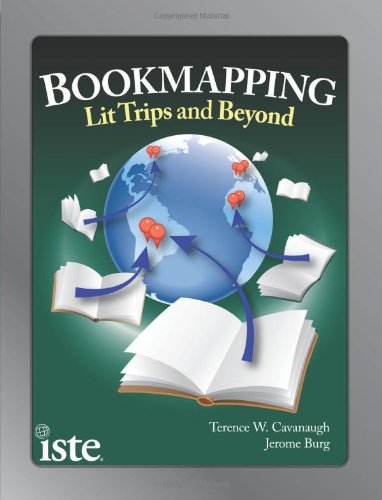
Technology now provides us with great resources for enhancing our teaching of setting and student appreciation of setting in their reading and writing. Through “bookmapping” students use technology tools to either guide their understanding of the setting in what they are reading or create their own “roadmaps” of the book. In their book Bookmapping: Lit Trips and Beyond, Cavanaugh and Burg (2011) detail how teachers and students can use online tools to enhance their reading and writing in several ways. Cavanaugh and Burg define bookmapping as “the modeling of a book or story’s setting: taking information about that setting and then plotting that location information onto some form of map representation. A bookmap creates a cognitive connection between literature and geography.” (2) In fact, the authors describe ways this interdisciplinary approach not online combines technology with literature and social studies, but can include science, math, foreign language and more.
The most basic use of bookmapping is to guide the reader’s understanding of setting in a text. Setting in the text might focus on a single area, such as a city, or follow the journey of a character as she travels the world. There are a number of online resources for ready-made “bookmaps” or “lit trips.” One of these sites, created by Burg, is Google Lit Trips (www.googlelittrips.org). This site provides pre-made lit trips for books from elementary level, such as Make Way for Ducklings, to middle school books, such as My Brother Sam is Dead, to high school, for example The Kite Runner. (There are even college level lit trips!) Another source for ready-made maps for some books can be found using Google Books. For example, go to books.google.com and search for The Travels of Marco Polo. Click on the book and then in the left column click “About this book.” Scroll down and you will find “Places mentioned in this book.” There is a link labeled “map” that takes you to a Google Map of the places in the book or you can download the “kml” file to open in Google Maps or Google Earth.
Teachers and students can create their own bookmaps. Teachers can create bookmaps to guide student reading of the book. Google Maps is a great place to start, as it is easier to learn to use than Google Earth. The teacher can put placemarks for locations in the book and can even add questions for students to think about before, during or after reading or even links to websites for more information. Having students, either individually or collaboratively, create their own bookmaps is a great alternative to other book projects.
The most interesting use of bookmaps discussed in Bookmapping was related to writing. One suggestion was to use Google Maps or Google Earth to have students investigate a setting for a story they might write. In Google Maps students can use tools such as “street view” to visually explore a setting for a story. Google Earth can be used in similar ways. Students could even explore writing a story in Google Maps. Students plan their story to include a variety of locations (either within a town or across the world). They then put placemarks in each of the locations and add the text of their story to the placemarks. In the left sidebar, students can arrange the placemarks in the order of their story. There are a variety of ways they can then share their story maps. Once students have explored Earth, Google can take them to the moon, Mars, and beyond!
There are many great ideas for using bookmaps in Bookmapping. There are a number of tools beyond Google Earth and Google Maps. (Microsoft has their own Bing versions, for example.) Given the variety of applications and the cross-curricular nature of bookmapping, exploring how to integrate this idea into your classroom may well be worth the time it takes to learn about these tools. Bookmapping is a well-written, resource-packed, book to explore. The authors include easy-to-follow directions for using the tools. If you want to explore bookmapping online, you can also find out more from the following websites:
Google Maps for Educators http://goo.gl/3Oq81
Google Earth for Educators
Google Lit Trip Tips
Edutopia article on Lit Trips
Google Videos on Lit Trips or search YouTube of “Google Lit Trips”
Works Cited
Cavanaugh, T. W., & Burg, J. (2011). Bookmapping: Lit Trips and Beyond. Eugene, Oregon, USA: International Society for Technology in Education.


 Posts
Posts


